On Black Friday, every extra step is a chance for the customer to leave. If buying means answering five questions in five messages, going to a website, or filling out a long form, many drop off along the way.
WhatsApp Flows solves that problem: it lets your customers choose, fill in details, and move toward purchase without leaving the conversation. In this article, we explain what they are, how to use them on Black Friday, and how to design one that converts.
What WhatsApp Flows Are
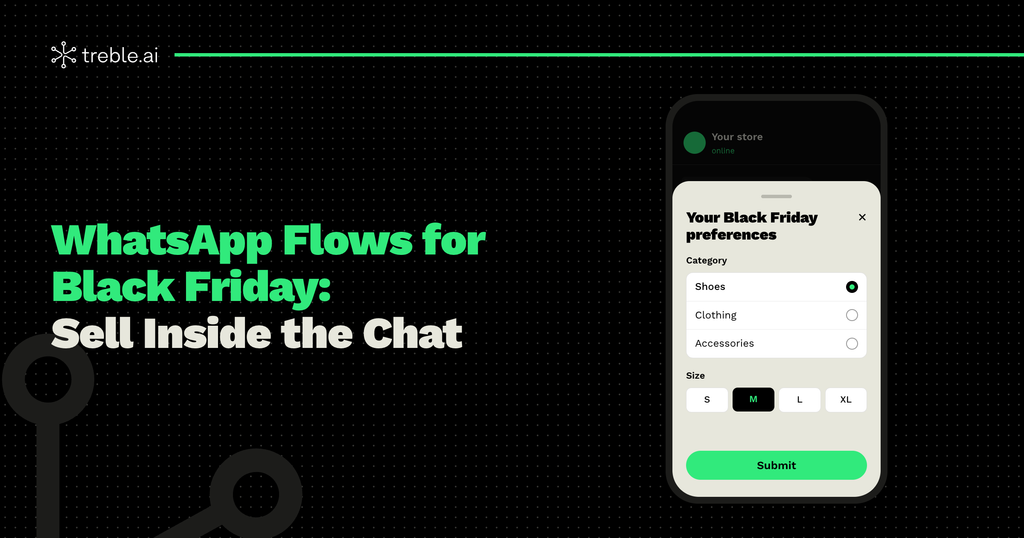
WhatsApp Flows are interactive experiences that open inside the chat, with one or more screens. Instead of asking questions one at a time, you show the customer a form with text fields, dropdown lists, options to choose from, or a calendar to pick a date.
The customer fills everything out in seconds, taps “Submit,” and goes back to the conversation. For them, it’s as simple as using an app. For you, it’s organized information, ready to use.
Why Use WhatsApp Flows on Black Friday
- Fewer steps, more conversions: customers move forward without leaving the chat or waiting for replies message by message.
- Fewer messages, lower costs: since October, Meta charges for service and utility messages. Collecting all the information in a single Flow, instead of a long sequence of questions, reduces the number of messages per conversation. We explain it in our guide to budgeting for Black Friday.
- Organized data: information arrives structured and can be saved straight to your CRM, ready to segment your campaigns.
- A better experience: during the most intense week of the year, customers value a fast, simple way to buy.
5 Ways to Use WhatsApp Flows on Black Friday
1. Preferences and VIP sign-up
Before Black Friday, send a Flow so your customers can join your early-access list and tell you what they’re interested in: categories, sizes, price range. With that information, every offer you send will be relevant.
2. Catalog and product selection
Show your products on sale and let customers choose size, color, or quantity on the same screen. It’s the most direct way to go from interest to purchase intent.
3. Quotes and bookings
If you sell services, trips, or custom products, a Flow lets you collect everything you need for a quote in a single step. And if you work with appointments, customers can choose a date and time from a calendar inside the chat.
4. Purchase and shipping details
Ask for address, contact details, and delivery preference without back-and-forth messages. The customer completes everything at once, and your team receives the order ready to process.
5. Exchanges, returns, and surveys
After Black Friday, use a Flow to manage exchanges and returns, or to ask how the shopping experience went. These are processes that, through scattered messages, become long and messy.
How to Design a WhatsApp Flow That Converts
- Keep it short: the fewer screens, the better. If you can solve it in one or two, don’t use five.
- Ask only for what you need: every extra field is a reason to drop off.
- Don’t ask what you already know: if your WhatsApp is connected to your CRM, use that information instead of asking the customer again.
- Use options instead of free text: choosing from a list is faster than typing, and it gives you data that’s easier to use.
- End with a clear step: a confirmation, the payment link, or the next step the customer needs to take.
Ready to create yours? In our documentation, you’ll find the step-by-step guide to creating WhatsApp Flows in Treble.
An Example for Your Black Friday
Imagine you send an invitation to your early-access list with a button that says “Choose my preferences.” When tapped, a Flow opens with three fields:
- What are you interested in? (Fashion, Tech, Home)
- Your size
- When do you prefer to receive deals?
The customer completes it in under a minute. That information is saved in your CRM, and when Black Friday arrives, each person receives only the deals they care about, at the time they chose.
Common Mistakes with WhatsApp Flows
- Forms that are too long: a Flow shouldn’t feel like paperwork.
- Asking for data without explaining why: tell customers what they get by completing it.
- Doing nothing with the information: if customers tell you what they’re interested in and then receive generic deals, you lose their trust.
- Not testing it first: check the Flow on different phones before sending it to your entire list.
Everything Happens in the Chat
WhatsApp Flows turns the conversation into a complete sales channel: customers discover, choose, and buy without leaving WhatsApp. On Black Friday, when every second counts, that simplicity makes the difference in your sales and in your budget.
At Treble, we help you create your WhatsApp Flows, connect them to your CRM, and combine them with campaigns and AI agents so your Black Friday runs in one place. If you want to get your Flows ready ahead of time, talk to our team.