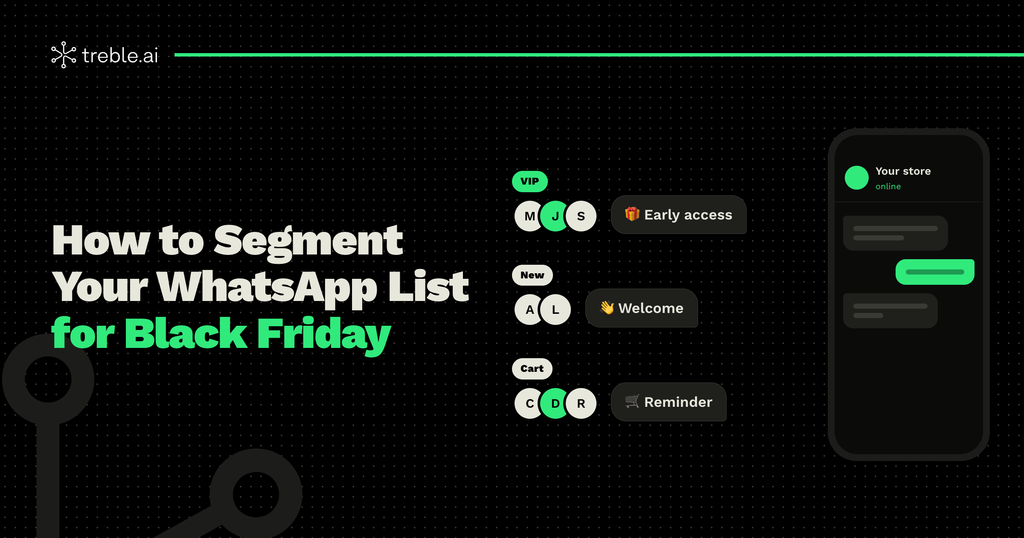
On Black Friday, sending the same offer to your entire list seems like the fastest option. But that’s exactly what generates the most blocks, wastes the most messages, and sells the least. Your loyal customer, the one who just joined, and the one who left a cart don’t need the same message.
In this article, we explain how to segment your WhatsApp list for Black Friday: what data you need, which segments to build, and how to keep them updated automatically.
Why Segment Your List on Black Friday
Segmenting means sending each group of customers the message they’re most likely to be interested in. On Black Friday, that has three direct benefits:
- You sell more: a relevant offer converts far better than a generic one.
- You protect your account: messages people care about rarely get blocked or reported. Learn more in our guide to avoiding blocks during peak season.
- You spend less: since October, Meta charges for service and utility messages, and marketing messages were already charged. Sending fewer, better-targeted messages lowers the cost of your campaign.
The Data You Need to Segment
You don’t need a perfect database to get started. With four pieces of information per contact, you can already build useful segments:
- Source: where they came from, such as an ad, your store, your website, or customer service.
- Interests: which product or service categories they asked about or chose.
- Purchase history: whether they bought, when, how much, and what.
- Activity: whether they reply to your messages or haven’t engaged in a while.
If your customers haven’t told you what they’re interested in yet, you can ask with a WhatsApp Flow: an in-chat form they complete in seconds. And if you’re still building your list, check out how to build your contact list before Black Friday.
7 Segments for Your Black Friday on WhatsApp
1. Frequent or VIP customers
They’re the ones who buy from you the most. Give them early access to your deals, before everyone else. They feel valued and tend to buy first.
2. Last year’s Black Friday buyers
They already bought on this date, so they’re likely to do it again. Remind them of what they bought and show them related new products.
3. New contacts
They recently joined your list and haven’t bought from you yet. A welcome offer for their first purchase may be the push they need.
4. Abandoned cart
They showed clear interest but didn’t complete the purchase. A reminder with an extra benefit can recover part of those sales.
5. Interested by category
If you know someone is looking for tech, don’t send them fashion deals. Group your contacts by interest and send each group what they’re looking for.
6. Inactive customers
They haven’t bought in months. Black Friday is a good excuse to win them back, but be careful: send one well-crafted message and, if they don’t reply, don’t push.
7. Those who didn’t buy on Black Friday
After the big day, set aside the people who received your deals and didn’t buy. They’re the ideal audience for your Cyber Monday campaign.
All of these are marketing messages. Order confirmations and shipping updates, which are utility messages, are sent automatically to each buyer. If you have questions, we explain which message to use at each stage of your Black Friday.
How to Keep Your Segmentation Up to Date
Segmenting manually once is fine. But on Black Friday, when purchases, carts, and new contacts come in every minute, your segments need to update on their own. For that, your WhatsApp has to be connected to the tools where your customer data already lives.
Treble integrates natively with:
- CRMs such as HubSpot, Salesforce, Pipedrive, and Zoho, to use each customer’s history and stage.
- E-commerce platforms such as Shopify, to segment based on purchases, carts, and viewed products.
- Email marketing tools such as ActiveCampaign, to sync your lists and segments.
- Google Calendar, to schedule appointments or demos and send automatic reminders.
And if you use another system, such as an ERP or your own platform, you can connect it to Treble via API. That way, every segment updates in real time, with no exporting or importing lists.
Common Segmentation Mistakes
- Creating segments that are too small: if a group has ten people, it’s not worth a separate campaign. Start with a few segments and adjust as you go.
- Forgetting to exclude people who already bought: nothing is more annoying than getting an offer for something you just purchased.
- Segmenting without updating: a list from three months ago doesn’t reflect what your customer did this week.
- Sending to every segment on the same day: even if each message is different, the same person can be in several groups. Make sure no one receives more than one marketing message per day.
Segment Today, Sell in November
Segmentation is what turns a contact list into a profitable campaign. Start with the segments you can already build with your current data, add the rest as you complete the information, and connect your tools so everything runs on its own on the big day.
At Treble, we help you integrate WhatsApp with your CRM, your online store, and your marketing tools, so every customer gets the right message at the right time. If you want to get your segments ready ahead of time, talk to our team.