Your customers are already messaging you on WhatsApp. The question is whether those conversations end up in your CRM or get lost on a sales rep’s phone.
In this guide, we explain what WhatsApp CRM integration is, how it works, what you can automate, and how to set it up with no code, with examples from companies already doing it with Treble.
What is WhatsApp CRM integration?
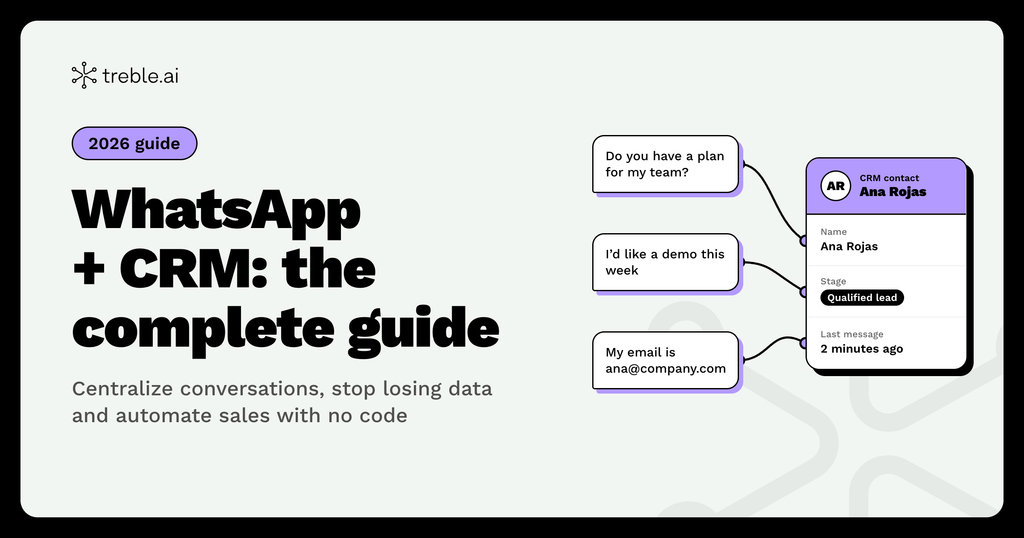
WhatsApp CRM integration is the connection between the official WhatsApp Business API and your customer management system. Every message, contact, and conversation is automatically logged in the CRM, on each customer’s record.
That way, marketing, sales, and support work with the same information, and you can automate processes using the data you already have.
Is it the same as using the WhatsApp Business app?
No. The WhatsApp Business app runs on a single phone and doesn’t connect to your CRM. The WhatsApp Business API supports multiple agents, automations, and integrations with other systems.
To use the API, you need an official provider (BSP), such as Treble, which is a Meta Business Partner.
Why integrate WhatsApp with your CRM in 2026?
Because WhatsApp is already the main channel for customer conversations in Latin America and Brazil. If those conversations don’t reach the CRM, your team is working blind.
Where does customer data get lost?
Data loss usually happens in three places:
- Personal phones: when a sales rep leaves the company, the conversation history leaves with them.
- Manual data entry: when someone has to copy data from WhatsApp into the CRM, fields get skipped or logged incorrectly.
- Disconnected tools: if WhatsApp and the CRM aren’t connected, no one has the full picture of the customer.
What does centralizing conversations mean?
Centralizing conversations means all WhatsApp messages live in one place, linked to each contact’s record in the CRM.
Anyone on the team can see what was discussed, who discussed it, and what stage the customer is in, without asking around or searching elsewhere.
What does a B2C company gain from this?
- Faster responses, because the team has the context at hand.
- Fewer lost leads, because every contact is logged.
- More precise campaigns, because you can segment using CRM data.
- Real metrics, because you can measure which conversations turn into sales.
How does WhatsApp CRM integration work?
It works both ways: what happens on WhatsApp is saved in the CRM, and CRM data triggers messages and automations on WhatsApp.
Here’s what a lead’s journey looks like with Treble:
- A customer messages you on WhatsApp, from an ad, your website, or a QR code.
- The CRM creates or updates the contact automatically, with their number and the conversation.
- An automated flow qualifies the lead, with questions or AI, and saves the answers as CRM properties.
- The lead is assigned to the right rep based on the rules you set.
- The team replies from the CRM, and every message is saved in the contact’s history.
- CRM data triggers new messages: follow-ups, reminders, or segmented campaigns.
What role does AI play in this process?
With TOM, Treble’s AI, conversations can be automated naturally, without rigid chatbot replies. TOM creates and edits CRM properties, saves the relevant information from each conversation, and hands off to the human team when needed.
What can you automate in sales and marketing with WhatsApp and your CRM?
Almost everything repetitive. Sales and marketing automation with WhatsApp frees up your team to focus on the conversations that truly need a person.
Which sales processes can be automated?
- Lead capture: every new contact enters the CRM with no manual entry.
- Qualification: a flow asks about budget, interest, or timeline and saves the answers.
- Assignment: the lead goes to the right rep or team.
- Follow-up: automatic reminders when a lead doesn’t respond or a deal stalls.
- Scheduling: customers book a meeting or demo directly from the chat.
What about marketing and support processes?
- Segmented campaigns using CRM lists.
- Transactional messages, such as order confirmations or delivery notices.
- Abandoned cart recovery for e-commerce.
- Satisfaction surveys after a purchase or support interaction.
How does it improve lead management and follow-up?
With WhatsApp integrated into your CRM, every lead has a complete history and a clear owner. No one goes unanswered because “the message never reached anyone.”
You can also see in the CRM what stage each lead is in, how long the team took to respond, and which conversations closed into sales.
How do you run WhatsApp marketing campaigns from your CRM?
By using your CRM lists and properties to decide who gets each message. That way, every campaign reaches the people who actually care.
What do you need to send campaigns?
- Consent (opt-in): contacts must have agreed to receive WhatsApp messages from you.
- Meta-approved templates: messages that start a conversation must use approved templates (HSM).
- CRM segmentation: lists based on customer stage, interests, past purchases, or behavior.
How do you measure results?
With the integration, replies and conversions from each campaign are logged in the CRM. You can see who opened, who replied, and who ended up buying, and compare WhatsApp with other channels like email.
What best practices should you follow?
- Personalize with CRM data, like the customer’s name or last purchase.
- Send fewer, more relevant messages.
- Include a clear call to action, with buttons whenever possible.
- Make it easy to opt out.
What is a no-code integration?
It’s an integration you set up from the platform, without your team having to write code. You connect WhatsApp to your CRM, choose which data to sync, and build flows with visual tools.
Why choose a no-code integration?
- Faster implementation: you don’t depend on a development project.
- Autonomy for marketing and sales: the team creates and adjusts flows or templates without asking IT for help.
- Lower maintenance costs: the provider keeps the integration running.
If your company needs something custom, Treble also supports API integrations.
Which CRMs can WhatsApp integrate with?
With Treble, you can natively integrate WhatsApp with the most widely used CRMs and tools:
- HubSpot (Treble is a HubSpot Leading Partner)
- Salesforce
- Pipedrive
- Zoho CRM
- ActiveCampaign
- Shopify and Google Calendar, among others
For any other system, you can connect via API.
How do you choose a platform to integrate WhatsApp with your CRM?
Check these five points before deciding:
| Criterion | What to check |
| Official provider | It’s a Meta Business Partner and uses the official WhatsApp Business API |
| Native integration | It connects directly to your CRM and syncs data both ways |
| No code | Your team can build flows and templates without coding |
| AI and automation | It can automate conversations and save data to the CRM |
| Support | It offers technical support in your language and time zone |
Treble checks every box: it’s a Meta Business Partner and a HubSpot Leading Partner, and it was part of Y Combinator (S19). It works with companies across Latin America and Brazil.
How do you integrate WhatsApp with your CRM, step by step?
- Define your goals: what you want to solve first (capturing leads, responding faster, launching campaigns).
- Choose an official provider of the WhatsApp Business API.
- Connect your WhatsApp number to the API.
- Connect your CRM using the native integration and choose which properties to sync.
- Create your message templates and submit them for Meta approval.
- Build your first automation flows, starting with your highest-volume process.
- Measure and adjust using CRM data.
Which companies already integrate WhatsApp with their CRM?
Here are a few Treble customer stories:
- Boston Medical Group: connected its contact center communications to the CRM and cut its average response time from about two hours to under a minute. Its WhatsApp campaigns also achieve response rates above 90%.
- Universidad Católica Argentina (UCA): integrated WhatsApp with its CRM so every prospect is automatically registered as a prospective student. It improved follow-up and reduced manual work.
- Mis Propias Finanzas: cut its first response time by 90% with WhatsApp.
- Nstech: qualifies 5,000 leads a month with WhatsApp automation.
- Shipnow: moved its delivery notifications from email to WhatsApp and got 130% more clicks.
What mistakes should you avoid when integrating WhatsApp with your CRM?
- Using WhatsApp on personal phones: the data stays outside the CRM and gets lost.
- Automating everything at once: it’s better to start with one process and scale.
- Not defining which data to save: without clear properties, the CRM fills up with information no one uses.
- Sending unsegmented campaigns: response rates drop and the risk of being blocked goes up.
- Forgetting the human handoff: automation needs to know when to pass the conversation to a person.
Frequently asked questions
What’s the best way to integrate WhatsApp with a CRM?
Use the official WhatsApp Business API through a provider like Treble, which offers native no-code integrations with CRMs such as HubSpot, Salesforce, Pipedrive, and Zoho CRM.
Can WhatsApp be integrated with HubSpot?
Yes. Treble is a HubSpot Leading Partner and integrates natively with HubSpot: conversations are saved on each contact’s record, and you can trigger messages from HubSpot workflows.
Do I need to code to integrate WhatsApp with my CRM?
No. With a no-code integration like Treble’s, the connection and flows are set up from the platform. If you need something custom, you can also use the API.
How do I avoid losing customer data on WhatsApp?
By centralizing all conversations in the CRM with the WhatsApp Business API, instead of using personal phones or the WhatsApp Business app.
Can I send bulk WhatsApp campaigns from my CRM?
Yes, as long as contacts have opted in and you use Meta-approved templates. With the integration, you can segment with your CRM lists and measure results in the same place.
What’s the difference between a chatbot and conversational AI like TOM?
A chatbot follows fixed replies. TOM, Treble’s AI, holds natural conversations, saves information to the CRM, and hands off to the human team when needed.
Ready to integrate WhatsApp with your CRM?
Book a demo with Treble and see how to centralize your conversations and automate marketing and sales with no code.